

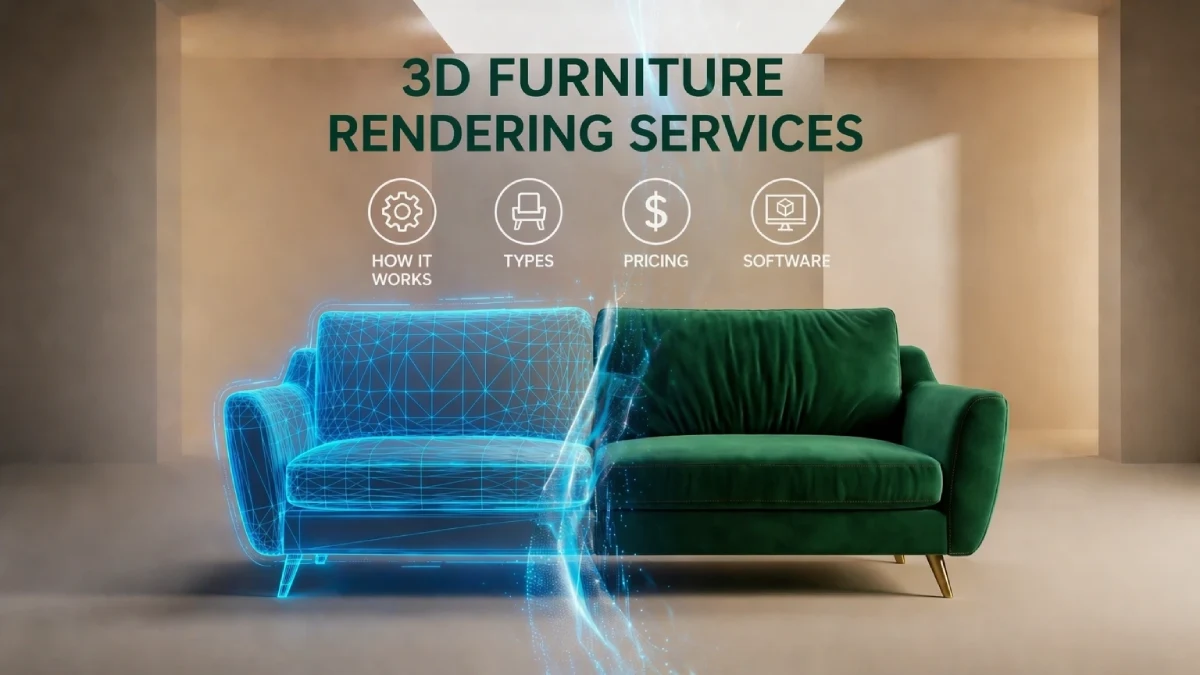
Instead of spending a lot of money and time on expensive furniture photoshoots, why not try scaling them instead? It might surprise you, but today’s brands are increasingly abandoning traditional visual production methods in favor of more modern solutions. Instead, they are using 3D furniture rendering, which is quick, flexible, and lifelike.
From product shots to lifestyle scenes, 360° views, and AR (Augmented Reality) models, 3D rendering helps furniture brands present products in a more engaging and cost-effective way. It improves overall visual quality while enabling faster, more scalable content creation.
This guide will help you understand how these 3D furniture rendering services support modern furniture marketing and what to consider when choosing the right approach for your brand.
What Is 3D Furniture Rendering?
3D furniture rendering is the process of creating realistic, computer-generated images and animations of furniture using 3D modeling and software. A 3D professional builds a virtual version and applies accurate materials and textures to produce 3D visuals. It doesn't require any physical product in a studio.
The output can be anything from a single still picture to animations, 360-degree views that you can interact with, or fully styled lifestyle scenes. The basic premise is still the same: provide very realistic product images without actually making the product or setting up a photoshoot.
It also allows full creative control over how the furniture is presented. Designers can easily change colors, fabrics, backgrounds, and environments without extra production costs. This makes it especially useful for product development, marketing campaigns, and e-commerce listings where speed and flexibility are important.
How 3D Furniture Rendering Works - Step by Step
The process of creating photorealistic 3D furniture renderings is based on a well-defined pipeline. Accuracy, realism, and output fit for manufacturing are achieved by building upon each phase.
Step 1 - Brief and Reference Collection
The first step is to collect all the necessary data for making a digital representation of the furniture. Materials, dimensions, color references (like fabric swatches, Pantone, or RAL codes), and computer-aided design CAD files are all part of this.
If technical files are not available, reference pictures from different angles can be used instead. However, this may make the modelling process take longer and require more explanation.
Step 2 - 3D Modeling
On this step, programs like Blender or 3ds Max are used to generate a digital 3D model of furniture. Then the 3D artist constructs the framework, dimensions, and intricate details according to actual measurements.
Every curve, joint, and surface detail must accurately show what the real product looks like. Careful construction goes into upholstered furniture, down to the shape of the cushions and the placement of the seams.
Step 3 - Material & Texture Application
The next phase for a completed model is to add materials that are realistic to the furniture surface. Authentic-looking textures are, for example, wood, fabrics, metals, or leather.
PBR (physically based rendering) is a way of creating 3D images that look more realistic by simulating how things behave in the real world. In this process, 3D artists define how a material reacts to light. This includes its color, roughness, reflectivity, and how shiny or glossy it appears. In order to achieve a realistic look, this stage is crucial.
Step 4 - Lighting Setup
Once the model is complete, realistic materials are applied to its surfaces. The depth, mood, and realism of the final render are also determined in this stage.
Well-implemented lighting will ensure that the textures can be seen well, shadows are created, and the furniture is well-balanced visually from the chosen angles.
Step 5 - Rendering & Post-Processing
In order to produce a high-resolution image, the rendering engine analyses the entire scene, including the model, materials, and lighting. This part of the process sorts out how light affects each surface in the scene.
After the rendering process is complete, the image is post-processed using Photoshop and other similar tools to improve color accuracy, contrast, sharpness, and overall appearance. This step adds visual polish and makes the image look professionally photographed.
Step 6 - Revision & Final Delivery
Once the preview renders are delivered, ideally, the first round of feedback starts. Commonly requested revisions here are changes to materials, lighting, or the height of the camera.
Once everything is green-lit, the final products are saved in high-resolution formats like TIFF, JPEG, or PNG. You can get 360-degree views, animations, or even 3D source files according to your preferences.
Types of 3D Furniture Rendering Services
3D furniture rendering services are mainly designed for different types of marketing needs. The main goal is to get a clean product presentation to immersive and interactive experiences.
The most common types of 3D furniture rendering services include:
Silo / White Background Rendering
Clean, high-resolution pictures of furniture visualization set on a neutral or white background are created via silo or white background rendering.
This layout is perfect for wholesale listings, online catalogues, and e-commerce platforms as it puts the product front and center. This is especially helpful when showing different product versions (SKUs) in a consistent way. It clearly highlights the furniture’s shape, material, and key features, so everything is easy to understand.
Lifestyle / Interior Scene Rendering
Lifestyle drawing includes furniture placement inside fully designed interior areas. This includes areas like living rooms, bedrooms, or office settings.
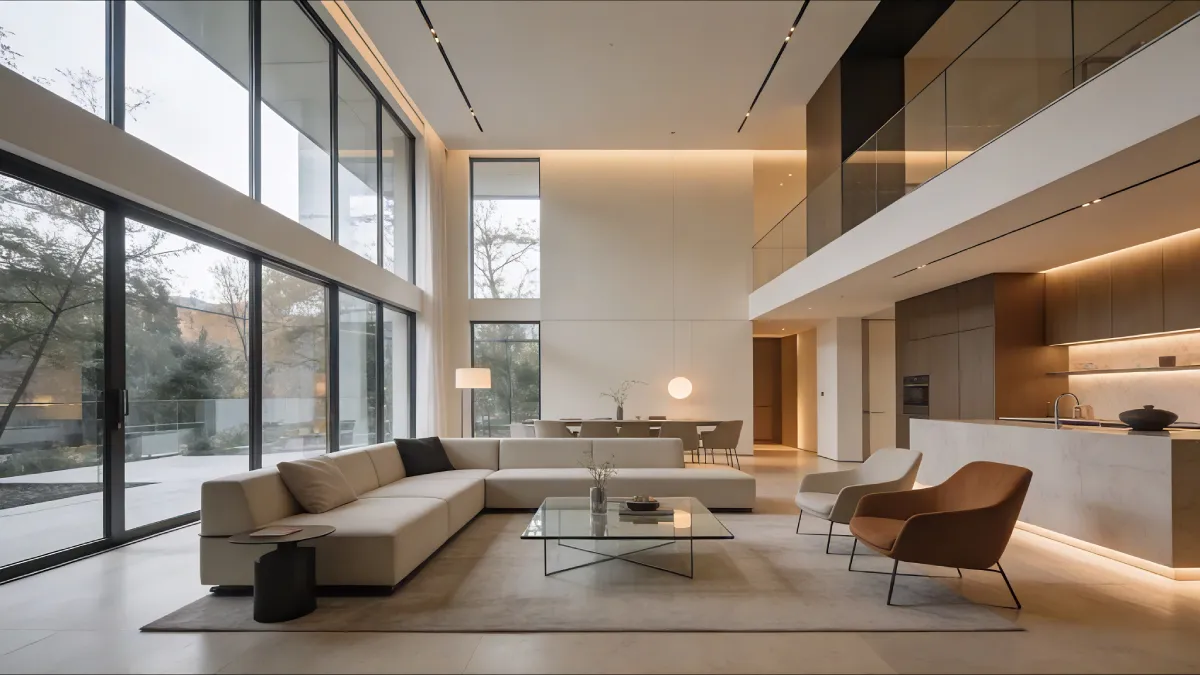
It shows how it fits into real-world circumstances, not just the product itself. This method provides customers with the ability to visualize scale, utilization, and style compatibility by incorporating emotional appeal and context. It's often used in ads, brand campaigns, and website graphics to make things look more interesting and appealing.
360° Interactive Rendering
360° interactive rendering allows the online store audience to rotate and observe a furniture object from all angles. The product is rendered in various frames, which are then put together to make a seamless interactive experience.
This system offers buyers a clearer understanding of design elements, dimensions, and quality of materials for an informed purchase experience and less uncertainty. It works really well for complicated furniture like beds, chairs, and modular units.
AR-Ready Rendering
AR-ready rendering is the process of building optimized 3D models that can be placed in the real world, utilizing augmented reality (AR) on smartphones and tablets.
This allows customers to see how the furniture will appear and fit in their own area before they buy it.
3D and AR product experiences increase conversion rates by 30%-45%, making AR one of the most effective tools for improving online furniture sales. It is highly effective in enhancing users' purchasing confidence, as it allows them to evaluate scale, color, and placement in real time.
3D Furniture Animation
3D furniture animation is a way to show furniture in motion rather than as a still image. It can be basic product rotations, assembly demos, or dramatic room walkthroughs.
Functional items, such as movable tables, reclining chairs, or modular sets, look great in this format. It’s popular in digital ads, social media campaigns, and product launch films as it grabs attention and explains features more dynamically.
Product Configurator Rendering
The product configurator rendering allows interactive customization systems where clients can change furniture items in real time. This includes adjustments to fabric, color, size, material, or finish.
To guarantee that all variations are of the same high quality, they are either pre-rendered or created constantly. It boosts engagement and conversion rates in online furniture retailers by allowing consumers to personalize products according to their tastes.
Virtual Furniture Staging
Real estate and interior design are the main fields that use virtual furniture staging. It’s a technique that digitally inserts furniture into images of empty rooms to make them look like they’re fully furnished.
This allows potential purchasers or customers to get a better sense of how a room is used and styled. Furniture companies also use it to display their wares in lifelike settings without having to stage or shoot actual locales.
3D Furniture Rendering Software & Tools
Here is the overview of the main tools used in the 3D furniture rendering workflow in 2026:
| Software / Tool | Primary Uses | Key Strength |
| Autodesk 3ds Max | High-end furniture modeling & visualization | Industry-standard for complex, photorealistic renders |
| V-Ray | Photorealistic rendering engine | Advanced lighting, materials, and realism |
| Blender | Full 3D pipeline (modeling, animation, rendering) | Free, open-source, highly flexible workflow |
| Corona Renderer | Interior and product visualization | Simple workflow with highly realistic results |
| SketchUp | Quick furniture and interior concepts | Easy to use, widely adopted for design drafts |
| KeyShot | Fast product visualization | Instant high-quality renders with minimal setup |
| Rhino 3D | Custom furniture design | Highly accurate and flexible parametric modeling |
| SolidWorks / Fusion 360 | Engineering and manufacturing design | Production-ready technical precision |
| Unreal Engine / D5 Render | AR/VR, configurators, interactive scenes | Real-time photorealistic environments |
3D Furniture Rendering Pricing - Full Breakdown 2026
Pricing is usually based on the complexity of the item or the environment. The basic editing of 3D furniture rendering generally ranges from $30-150 to $200-$800+ for high-end editing.
Here's a clear overview of the pricing based on the render type:
| Render Type | Description | Price Range |
| Simple Basic Editing | Simple isolated furniture renders for e-commerce and catalogues | $30-$150 |
| Lifestyle / Interior Scene | Furniture placed in styled environments with lighting and props | $55 - $500+ |
| Complex / High-Detail Furniture Render | Advanced materials, intricate design, or luxury-quality output | $200 - $1500+ |
| 360° Spin / Interactive View | Multi-angle product views (requires multiple rendered frames) | $100 - $900+ |
| 3D Furniture Animation | Motion-based visuals (rotation, features, cinematic scenes) | $100 - $600+ |
| Full Interior Animation | High-end animated walkthroughs of environments | $1,200 - $18,00+ |
| Product Configurator Set | Full set of variations (color, material, size combinations) | $500 - $20,000+ |
| Virtual Staging (Per Room) | Digitally furnished real estate or interior photos | $25 - $100+ |
AI in 3D Furniture Rendering - 2026 Trends
As of 2026, AI is now deeply integrated into 3D furniture rendering. It helps in creating, processing, and delivering assets more efficiently. Overall, this has made furniture rendering faster, more flexible, and easier to scale for both marketing campaigns and product development.
How AI Is Changing Furniture Rendering Workflows
By eliminating the need for humans to do basic, repetitive production tasks, AI is simplifying rendering pipelines. Processes like picture upscaling, background cleanup, and denoising are now done in real time, which makes things a lot more efficient.
This helps studios cut down on production times while keeping the visual quality of a lot of furniture items the same.
Generative AI for Furniture Design Variations
Generative AI is getting used in creating designs varying from a single base concept. It now allows rapid exploration of different styles, materials, and configurations. It also makes it easier to create different design variations from one basic idea.
Designers don't have to start from the beginning when coming up with furniture possibilities; they can simply develop a variety of models with different finishes and structures. AI is also speeding up material and texture creation for realistic wood, fabric, and metal elements.
AR & VR Integration
The AR-enabled virtual furniture try-on market is valued at $2.6 billion in 2026 and is expected to reach $11.4 billion by 2036. By improving real-time rendering and enhancing accuracy, AI is making augmented and virtual reality experiences better. With augmented reality tools, customers can place furniture in realistic, scaled versions of their own spaces.
AI also helps virtual reality environments look more lifelike, allowing users to explore products in a more interactive way. This creates more engaging and practical online furniture shopping experiences.
Cloud-Based Rendering
Current 3D furniture procedures heavily rely on cloud rendering since it allows studios to simply scale up processing capacity according to shifting demands.
As a result, huge product libraries and complicated scenes can be processed much more quickly than would be possible with local hardware. When combined with AI optimization, cloud rendering speeds up processes, facilitates remote teamwork, and ensures top-notch quality in all projects.
How to Choose a 3D Furniture Rendering Service
With thousands of service providers available globally, choosing the right 3D furniture rendering partner can be challenging. It requires more than comparing the prices only.
Here are key tips to consider when choosing a 3D processing partner:
Step 1: Review portfolio and Furniture Rendering Knowledge
First, look at the provider's portfolio, paying special attention to the quality and stability of each work. Analyze their proficiency with wood, fabric, and metal across a variety of projects, not just their highlight shots.
For accurate texture, scale, and lighting in furniture renderings, the providers should have a track record of success with both white backdrop silo renders and lifestyle settings.
Keep in mind that you can't expect the same degree of realism from a generic 3D studio when it comes to furniture rendering.
Step 2: Explore the Workflow, Modeling, and Revisions
A clear workflow is necessary to avoid unnecessary delays and unexpected costs. Before making a deal with them, make sure to ask them how they handle 3D modeling (from CAD, photos, or scratch) and whether they provide the source files for future use.
Also, make sure that the policies regarding revisions are clear, including the number of rounds, the criteria for revisions, and the cost of extra changes. In order to avoid scope creep throughout production, this step guarantees transparency.
Step 3: Test Quality, Communication, and Tools
Ask for a test render to see how they respond, how long it takes to complete the job, and how high the quality of the final product is. It gives a clear idea of how well the team understands your needs.
Also, make sure they leverage AI-assisted workflows and use up-to-date 3D rendering software such as Blender, Autodesk 3ds Max, or rendering engines like V-Ray. Updated tools usually translate to better efficiency and more competitive pricing.
Step 4: Compare Pricing, Turnaround Time, and Scalability
Last but not least, think about your finances and future goals to see if the service fits in. Try to find a service that has reasonable turnaround times, clear pricing, and the capacity to scale for bigger projects like catalogs or several varieties of products.
Because feedback delays can greatly lengthen production times, it is important to think about communication and time zone compatibility as well.
Final Thoughts
For contemporary furniture brands, 3D furniture rendering services have become essential. You can make images that look very real without having to use real samples or execute standard photoshoots. For marketing and e-commerce, it gives a lot of options, from simple pictures of products to interactive ones with AR and 360° views.
The procedure is now more efficient, scalable, and speedier due to a well-defined workflow, several service options, variable pricing, and advancements in artificial intelligence. If you want to keep the quality high and obtain the greatest outcomes in the long run, however, you still need to choose the right 3D service provider.
3D furniture rendering is ultimately useful for more than simply aesthetics. It's more like a strategic business tool that accelerates product launches, improves user experiences, and reduces production costs for brands.
Frequently Asked Questions
How much does 3D furniture rendering cost?
3D rendering costs usually range from $30-150 per image on basic editing. The cost can vary based on the complexity of work and high-end lifestyle scenes.
How long does 3D furniture rendering take?
3D furniture rendering usually takes 48 hours to 2 weeks, depending on the overall project scope. Larger projects and revisions can extend the timeline to 5-14 days.
What files do I need to provide for furniture rendering?
CAD file formats are usually required for furniture rendering. As an alternative, you can also get a head start with reference photos, drawings, measurements, material specifics, and color palettes.
What software is used for 3D furniture rendering?
Common software that is used for 3D furniture rendering is: Blender, Autodesk 3ds Max, SketchUp, Rhino 3D, KeyShot, and rendering engines like V-Ray, Corona Renderer, and Unreal Engine.
Is 3D rendering better than furniture photography?
It depends on the goal, but 3D rendering is often more flexible and cost-efficient. It allows unlimited variations, faster updates, and realistic visuals without physical setups or photoshoots.
Can I get multiple color variants from one 3D model?
Yes, you can get multiple color variants from one 3D model. One 3D model can generate multiple variations in color, material, and finish without rebuilding the model.
What is the difference between silo and lifestyle furniture rendering?
Silo rendering shows furniture on a plain or neutral background, focusing only on the product. On the other hand, lifestyle rendering places the furniture in a realistic interior setting to show context and usage.
Can I get a 3D render before my furniture is manufactured?
Yes, you can get a 3D render before the furniture is manufactured. 3D rendering is often used to help with product development because it lets companies see how furniture will look and sell it before it is actually made.
How do I choose the right 3D furniture rendering company?
To choose the right 3D furniture rendering company, start by reviewing their portfolio, workflow, and revision policy. Communication and quality of work matter as well. Make sure to review their expertise in furniture-specific rendering as well. You can contact us and send us a free test task. Based on that, you can evaluate our capabilities.
Can I use 3D furniture rendering for interior design projects?
The answer is Yes. 3D furniture rendering for interior design is widely used to visualize spaces, test layouts, and present concepts to clients, and create realistic previews.