

From hobbyists to AAA studios, 3D modeling software now plays a central role in the creative industry. Whether you're a beginner, freelance, or studio professional is a key part of modern work in 3D modeling.
While ZBrush and SketchUp shine in the 3D market, Blender, Maya, and 3ds Max continue to dominate the industry in 2026. The latest developments in AI, cloud computing, and real-time models have made it easier to learn and use these programs.
With the rise of AI, cloud technology, and real-time modeling, 3D software is more powerful and easier to use than ever. Choosing the right tool depends on your needs, whether you’re a beginner, freelancer, or part of a professional studio.
This article covers the top 3D modeling software in 2026, a head-to-head comparison of Blender, Maya, and 3ds Max, the market size, and the best software for different use cases. It will help you understand each tool’s features and choose the one that fits your workflow.
What Are the Top 3D Modeling Software in 2026?
So far in 2026, Blender, Autodesk Maya, and 3ds Max lead as the top 3D modeling software, and it is expected that they will further rule in the industry.
| Software | Category | Features |
| Blender | Free & Open Source | Full 3D pipeline (modeling, sculpting, animation, rendering), Cycles (ray tracing) & Eevee (real-time), simulation tools, geometry nodes, strong community & plugins |
| Autodesk Maya | Industry Standard | Advanced rigging & character animation, procedural workflows, physics simulations (hair, cloth, fluids), Arnold rendering, Python/MEL scripting for pipelines |
| Autodesk 3ds Max | Market Leader | Modifier-based non-destructive modeling, high-end photorealistic rendering, V-Ray/Corona integration, powerful material & lighting systems, large plugin ecosystem |
| ZBrush | Sculpting | High-poly sculpting with millions of polygons, brush-based workflow, Dynamesh, ZRemesher, and polypainting for detailed character creation |
| Cinema 4D | Motion Graphics | MoGraph procedural animation system, intuitive UI, fast & stable performance, seamless Adobe After Effects integration |
| SketchUp | Architecture | Simple interface, push-pull modeling, fast prototyping, real-time visualization, large 3D Warehouse asset library |
| Rhino 3D | Precision Modeling | NURBS-based precision modeling, complex geometry support, Grasshopper parametric design, and high accuracy for fabrication |
| Autodesk Fusion 360 | Engineering/CAD | Parametric modeling, cloud collaboration, CAD/CAM/CAE integration, simulation tools, and generative design for manufacturing |
3D Modeling Software Market Size
The 3D modeling software market has been experiencing robust growth because of AI integration and cloud adoption. It is expected that the 3D mapping and 3D modeling market size will grow to 24.47 billion by 2034.
The US 3D mapping and modeling sector is growing rapidly. This indicates substantial regional development and demand, reaching $5.03 billion by 2032. This growth is fueled by industries like:
- Manufacturing
- Automotive
- Aerospace
- Construction
- Architecture
- Gaming Industry
- Film
- Healthcare
3D modeling is growing quickly in healthcare because 3D models are now used for many surgical planning and prosthetics. There are millions of professional 3D artists, students, and hobbyists who use these tools.
AI, cloud technology, and real-time rendering are changing the way professionals work. These advancements make tools like Blender, Autodesk Maya, and 3ds Max more powerful. They also make them more accessible for freelancers, small studios, and large companies alike.
Best 3D Software for Different Use Cases
Choosing the best 3D software becomes easy when you know exactly what you need. It depends mostly on the use case, ranging from beginner tools to complex ones. If you want to use it for basic edits, then it is recommended not to use complex tools.
Best for Beginners
If you're new to the editing industry, then Blender is the best starting point for you. It's a free tool that covers the entire 3D pipeline. It includes modeling, sculpting, texturing, animation, and rendering.
SketchUp can also be an excellent choice for beginners. Its interface and simple tools allow users to quickly create architectural layouts. Users also get benefits from the conceptual models without getting overwhelmed by the complicated features.
Best for Professional VFX
Autodesk Maya has the industry standard for professional visual effects. It offers the tools that are advanced rigging and animation pipelines used in TV and films. It is best to handle complex scenes and character interactions.
Houdini by SideFX is also a go-to software for VFX. It enables artists to create realistic elements. Elements like particles, smoke, fire, destruction, and other dynamic effects. Houdini is strong for projects that require control and iteration.
Best for Game Development
A good example of game development is Grand Theft Auto V. Rockstar uses tools like Autodesk 3ds Max to create environments, buildings, vehicles, and city assets. This helps design a detailed and realistic open world. Autodesk Maya is used for character animation, rigging, and cut scenes. It helps make movements and interactions feel more natural.
This shows how different tools are used together in game development. Each software handles a specific part of the workflow, which helps create large, high-quality games.
Best for Architectural Visualization
3ds Max mostly dominates the industry of architectural visualization for its high-quality rendering engines. Rendering engines like V-Ray and Corona produce photo-realistic interiors and exteriors. SketchUp is ideal for quick concept models and interior layouts.
It lets users, architects, and designers visualize ideas fast. Rhino 3D is preferred for more complex geometry and precise forms. It is mainly famous for its in contemporary architecture and product design, with strong support for NURBS modeling.
Best for Character Animation
Character animation is done most effectively in Maya. It has standard tools for modeling, deformation, motion capture, and animation. Most movies and gaming companies use it for better visualization. Blender is great for both newbies and experts because it has powerful animation tools.
It has tools like non-linear animation, keyframing, and procedural workflows. Along with these programs, ZBrush is often used to create very detailed characters. It makes very detailed models that can then be rigged or animated in Maya or Blender.
Best for Procedural Modeling
Houdini is great at procedural modeling. It uses a node-based system to let artists make complex structures and effects. It's great for making procedurally generated towns, environments, or simulations that change over time.
You can now use Geometry Nodes in Blender to make models and render more flexibly without having to write code. There are also procedural tools in Maya, like the Bifrost system. It lets you do simulations and more complex procedural effects in animation processes.
Best Budget Option
Blender is the best choice for people on a budget. It offers free and can make professional-quality results. A full 3D pipeline is available to freelancers, students, and small companies for free.
SketchUp Free/Starter is another option that doesn't cost much. It has basic modeling tools that are good for beginners or quick project sketches, especially in the fields of interior design and building.
Best for Printing
Fusion 360 is great for 3D printing because it has accurate CAD models. It also has the tools built in to make files ready to print. A lot of engineers and artists use it. Blender can also be used for printing, allowing artists to clean, repair, and export models in compatible formats.
Rhino 3D has also been liked by users because it is very good at NURBS modeling. This makes it ideal for making complex designs for jewelry, industrial parts, or architectural parts that need to be printed accurately.
Blender vs Maya vs 3ds Max - Head-to-Head Comparison
Blender is an open, powerful tool that is versatile and ideal for individuals. On the other hand, Maya excels in a profession. 3ds Max (Autodesk) dominates in architectural visualization and specializthe ed modeling. In photo editing, Blender offers the best value, Maya offers the best industry pipeline integration, and 3ds Max offers the best modeling tools.
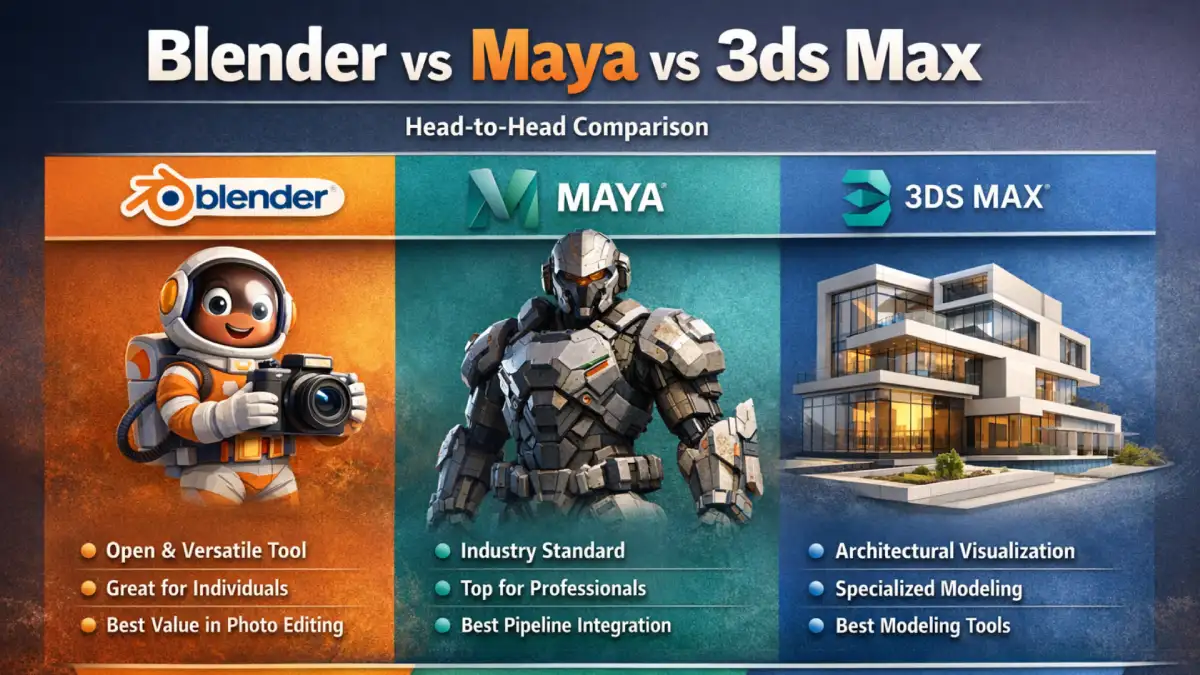
Here's a head-to-head comparison between these three tools:
| Aspect | Blender | Maya | 3ds Max |
| Platform Support | Windows, macOS, Linux | Windows, macOS, Linux | Windows only |
| Cost | Free / Open Source | $255/month (or $2,010/year) | $255/month (or $2,010/year) |
| Ease of Use | Beginner-friendly UI, moderate learning curve, unique shortcuts | Steep learning curve, complthe ex interface optimized for studios | Moderate curve, intuitive UI, easier than Maya |
| Core Strength | Full 3D pipeline: modeling, sculpting, animation, simulation, rendering | Industry-standard animation, rigging, VFX, procedural pipelines | Hard-surface modeling, photorealistic rendering, architecture & product visualization |
| Modeling | Sculpting, modifiers, procedural geometry (Geometry Nodes), flexible workflows | Organic & character modeling focus, strong rigging integration | Architectural modeling, environment building, product design, and modifier-based non-destructive workflow |
| Animation and Rigging | Solid tools for general animation, improving rigging support | Industry-leading rigging, skeletal animation, motion graphics, and complex character animation | Good animation tools, but less depth than Maya |
| Rendering | Eevee real-time renderer, Cycles ray-tracing, AI denoising support | Arnold built-in, production-grade rendering for complex scenes | V-Ray, Arnold, Corona integration, realistic lighting & materials for architecture/product visualization |
| Simulation and FX | Fluids, smoke, fire, cloth, particles, basic physics | Hair, cloth, fluids, particles, destruction, and advanced VFX simulations | Particle systems, limited FX; primarily suited for architectural/environment simulation |
| Procedural / Node-Based Workflows | Geometry Nodes, procedural modeling, shader & material nodes | Bifrost procedural workflows, node-based shading & dynamics | Limited node-based workflow; mainly a modifier stack system |
| Community & Resources | Massive global community, open-source plugins, tutorials, forums | Professional studio support, official docs, learning pipelines | Large user base in architecture & visualization; moderate tutorial ecosystem |
| Industry Adoption | Freelancers, indie studios, small studios; growing adoption in the professional pipeline | AAA studios, film, animation, VFX | Architectural visualization, product design, and environment creation are widely used in the enterprise pipeline |
| Strengths / Standout Features |
|
|
|
Key Takeaways
Autodesk Maya, Blender, and Autodesk 3ds Max are still the best 3D programs in 2026. Each one is great in its own way. When it comes to flexibility and price, Blender is the best choice. Maya is the best for animation and visual effects, and 3ds Max is the best for visualizing buildings.
3D software is getting easier to use and more powerful as AI, cloud tools, and real-time graphics change quickly. The important thing is to pick a tool based on how you plan to use it, not just because it's famous.
Frequently Asked Questions
What is the easiest 3d modeling software?
SketchUp has been the easiest 3D modeling software because of its simple interface. Blender is also beginner-friendly, but there are a lot of features to learn.
What do interior designers use for software?
Interior designers commonly use SketchUp, Autodesk 3ds Max, and AutoCAD for layout design, modeling, and realistic rendering.
Is ZBrush free?
The answer is NO; ZBrush is not free. It's paid software and offers monthly and yearly subscriptions for the users.
Is Blender free?
Yes, Blender is a completely free and open-source software. Users don't require any subscription to use Blender.
How to animate in Blender?
Animating in Blender is done with keyframes. When you move or rotate an object and press "I" to add a keyframe, Blender makes motion between the keyframes on the timeline instantly.
How to make 3d models for printing?
You can use Autodesk Fusion 360, Blender, or Rhino 3D to make models. After it is done, make sure the model is waterproof (has no holes) and export it in a file that can be printed, like STL.
How to create STL files?
You can directly export the .STL file on software like Blender or Fusion. You can also go to File → Export → STL, choose Binary format for a smaller file size, set your scale to millimeters, and export. That's it, your STL file is ready to use for 3D printing.
How to import a model into Blender?
To import a model in Blender, go to File → Import, and select the file type (OBJ, FBX, STL, etc.), then choose your model to load it into the scene.
Is SketchUp going to be on Android?
No, SketchUp is not going to be on Android. It discontinued the dedicated SketchUp viewer for Android app on August 29. However, you can use it through a web browser or viewer apps on mobile devices.
How to render a Blender animation?
Go to Output Properties in Blender and pick the folder where the video will be saved and the type of file it will be. Then, set the size, frame rate, and frame range. Choose either Evee or Cycles as your render engine. Then, to export the animation, press Ctrl + F12 and go to Render → Render Animation.