

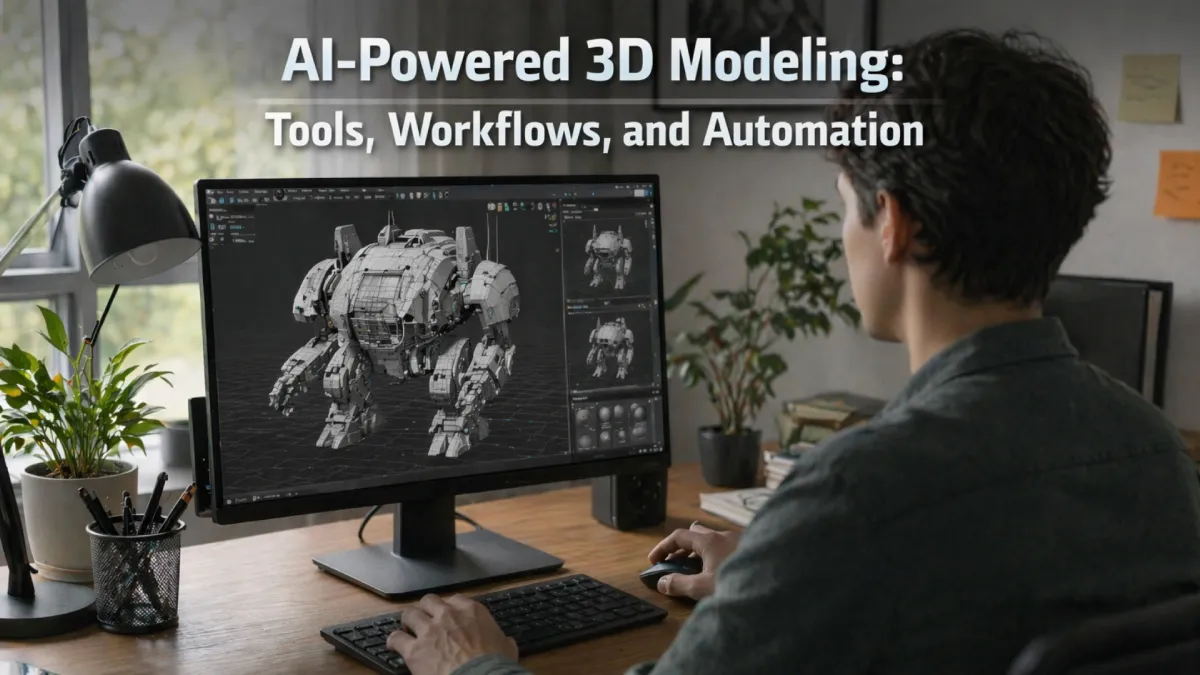
In 2026, the best use of AI 3D modeling is to generate base meshes and textures, then refine them manually for production. It is just not speeding up the production; it's also opening new creative possibilities. Designers can experiment, iterate, and scale faster than ever with new adaptive algorithms. Some industry reports show that it is expected that the 3D asset market is about to reach USD 60.58 billion by 2030.
AI-powered tools are streamlining repetitive tasks, reducing manual workload, and improving consistency across projects. Teams can focus more on creative decision-making and less on technical details. Industries such as gaming, e-commerce, architecture, and film are already leveraging AI to enhance efficiency and output quality. Cloud integration and hybrid workflows make collaboration smoother, allowing multiple teams to work on large-scale projects in real time.
This article explains how AI-powered 3D modeling works, compares top tools like Meshy AI, Tripo AI, Luma AI, and NVIDIA Omniverse, and shows where AI can and cannot replace manual 3D artists.
What Is AI 3D Modeling?
AI 3D modeling refers to the process of making and optimizing digital three-dimensional objects using AI. This also includes the characters, or settings, with the use of artificial intelligence, machine learning, and neural networks. For businesses in the gaming, e-commerce, and design industries, it creates accurate 3D models from 2D photos. Text instructions, or scans, significantly cut down on costs and reduce processing times compared to manual sculpting.
Machine learning automates how models are created and improved. It does this by scanning massive databases of 3D shapes, photos, and spatial data. This is very different from the labor-intensive process of manually creating geometry in programs like Blender or Autodesk Maya.
How AI 3D Modeling Works - The Core Workflow
Instead of manual work, AI automates the mesh creation, texturing, and UV mapping. Most of the time, AI learns from the massive database of existing 3D assets. In practice, workflows are usually hybrid. It replaces the cutting initial asset creation time by 70-90%. After that, designers refine and polish it using traditional DCC (Digital Content Creation) tools. This combination boosts productivity and allows teams to focus on creative details.
Step 1 - Input (Text Prompt or Image Upload)
The first process starts by giving the user input. It can be text descriptions, a 2D sketch, or a photo. AI analyzes the shapes, edges, and visual cues by using machine learning and computer vision. It helps to understand the structure and context of the object.
When the input is more detailed, the generated 3D model is usually more accurate. Using multiple angles or detailed prompts also helps reduce mistakes.
Step 2 - AI Mesh Generation
After the input is processed, the next step is where AI generates the base 3D geometry. AI uses neural networks and methods to have in-depth knowledge. By using Neural Radiance Fields, it builds a 3D mesh. Instead of creating the model vertex by hand, it automatically generates the main elements of the model. These include:
- Vertices, edges, and faces
- Basic topology and structure
- A “first-pass” model (initial version that is nearly complete)
AI allows designers to save time on repetitive tasks and focus on high-level design decisions.
Step 3 - Automated UV Mapping & Texturing
After generating the mesh, AI enhances the visual part. It applies to the textures and materials and automates the UV mapping. Then it creates the PBR (Physically Based Rendering) maps and the smart material assignments.
This step transforms a raw model into a realistic, render-ready asset without manual texturing work. It also improves efficiency in production workflows.
Step 4 - Auto Rigging & Animation Ready Export
For the characters and moving objects, AI automatically preps the 3D models for the animations. It handles auto rigging by adding the skeletons and joint structures. It also performs weight painting that determines how the mesh should be controlled during movement.
It prepares the assets for animation pipelines and reduces the technical complexity. This makes the process much easier and less technical, and makes the models ready for animation while reducing repetitive tasks for human teams.
Step 5 - Pipeline Integration (Blender, Unity, Unreal Engine)
In the final stage, the 3D model is exported and added to the production workflow. It can be refined in Blender and used in Unity for games and real-time projects. It can also be imported into Unreal Engine for cinematic and high-quality rendering.
Artists and developers can improve it further or use it directly in their work. Cloud integrations and automated processes also help streamline team collaboration.
Best AI 3D Modeling Tools 2026
As of 2026, AI modeling tools prioritize speed, text-to-text 3D, and image-to-3D capabilities. The best tools usually stand out based on quality, speed, texturing, and real-world usability.
Here are the top AI 3D modeling tools that have been on users' preferences in 2026 so far:
Meshy AI
Meshy AI has been one of the most well-rounded AI 3D tools in 2026. It is recognized for its strong text-to-3D images creation capabilities. Among the best AI 3D tools available in 2026, Meshy stands out. Notable among its many strengths are its text-to-3D and image-to-3D conversion capabilities. The software is capable of producing 3D models with all textures applied with minimal human intervention.
Users requiring immediate results will find it to be a practical option. In addition, it has UV mapping and high-quality PBR textures, so the final products are more suited for production. You can also export your mesh creations to FBX, OBJ, and GLB files with Meshy AI. Additionally, it works well with programs like Blender. Its advantages make it a good choice for e-commerce, product rendering, and rapid asset production.
Tripo AI
Tripo AI is remarkable for its speed and perfection in geometry. This makes it an excellent option for tasks that require speed. Users can get from idea to result much more swiftly because of its model generation speed. It can reach as low as 20 seconds. It also helps improve structural accuracy by supporting multiple images.
Plus, it makes meshes that are clean and ready to play. Therefore, it can also be used in more serious productions. Game design, property visualization, and quick prototyping are three areas where Tripo AI really shines.
Luma AI (NeRF + Genie)
Luma AI is famous for combining Neural Radiance Fields with its Genic model. It creates a powerful approach to the 3D generation. Luma AI is mostly known because it can convert photos and videos into a realistic 3D scene. It's a suitable tool for users who want to capture the real world in detail.
Luma AI can be used in both scanning and imaginative creations. One of its key strengths is that it can handle lighting, reflections, and realism. Because of its features, it is suitable for photorealistic environments and VFX.
Kaedim
Kaedim is designed to turn 2D images into 3D assets. It's a useful tool in professional content pipelines. Most of the users consider it a conversion of concept art into usable game assets. Kaedim helps to reduce the time between design and implementation.
It is also known for its clean topology and optimized meshes. Therefore, the output requires little cleanup before use. The greatest environments for Kaedim are game studios and organized production processes.
NVIDIA Omniverse + GET3D
NVIDIA Omniverse + GET3D is a combined advanced enterprise-level solution. It creates high-quality 3D shapes and textures by using generative AI. Their approach makes a strong option for demanding professional environments. These platforms are also designed for large-scale production.
Therefore, it is worth more than just creating assets. Another advantage is that it integrates with NVIDIA's real-time rendering ecosystem. It is therefore particularly appropriate for high-end 3D pipelines, studios, and simulations.
Autodesk Flow Studio (Wonder 3D)
Autodesk Flow Studio has been used for bringing the AI-assisted 3D into professional Autodesk workflows. It supports images for 3D generation and Multiview reconstructions, which helps users create more accurate models.
Users prefer Autodesk Flow Studio because it fits well with existing Autodesk tools. It works well with professional design, architectural, and visual effects of workflows because it places an essential priority on accuracy and production readiness.
Spline AI
If you're new to the editing industry, then Spline AI can be your perfect tool. It is a beginner-friendly browser-based tool with AI features. It offers simple text to 3D generation and is accessible to a wide range of users.
From the browser, users can communicate, edit, and animate in real time. It is an excellent choice for those who wish to experiment with 3D creation without having to deal with a challenging setup. It does not require a powerful computer to operate. For designers, novices, and anyone working on interactive online projects, Spline AI is an excellent option.
AI 3D Modeling Automation - What's Now Fully Automated
As of 2026, AI 3D modeling has become so advanced. What used to take hours or days to complete can be done now within a few minutes. Most of the modern AI tools can now take a simple prompt and turn it into a complete 3D model automatically. It can create basic shapes, build a 3D model, and add realistic textures. It can also handle UV mapping, fix rough geometry, and prepare simple rigging and animation.
AI 3D modeling makes the model easier to use in tools like Blender, Unity, or Unreal Engine. It can do work like turning the images into 3D scenarios and producing massive amounts of product models for online sales. However, human intervention is still very important. To make sure the models match the planned creative direction, have exact features, and appear realistic, experts are still required.
Nowadays, the best strategy is a mix of both, with AI taking care of most of the technical tasks and humans polishing the end product. For e-commerce, AI 3D modeling reduces product-photo-to-3D time from days to minutes, enabling AR previews and virtual try-ons.
AI 3D Modeling by Industry: Use Cases in Gaming, E-commerce, and Architecture
AI 3D modeling translates digital assets for many industries, exhibiting accelerated workflow and cost reduction benefits. Industries harnessing AI for task automation and expeditious processes continue to grow.
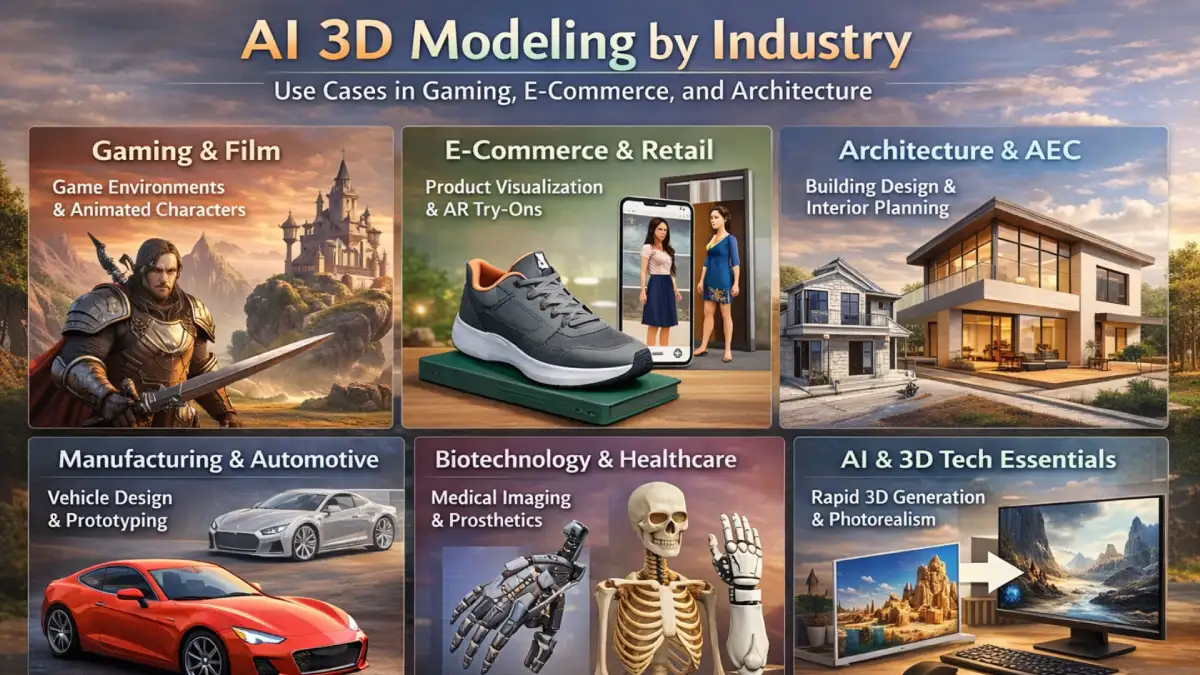
Gaming & Film
AI provides expeditious asset production for prop, character, and environment creation. AI assists in modeling and texturing, which lessens the manual work prep for animation. It also fosters rapid design variant generation and expansive virtual environment construction.
Best for: Game environments, animated characters, and VFX pre-visualization.
E-commerce & Retail
AI 3D modeling enriches the e-commerce experience and simplifies in-store transactions. AI 3D modeling graciously renders product shots into 3D configurability and virtual trials, paving the way for product returns to be less frequent due to 3D previews.
Best for: Product visualization, AR try-ons, and online catalog previews.
Architecture, Engineering, & Construction (AEC)
AI in Automated Engineering/Architecture/Construction (AEC) is capable of constructing editable 3D models of structures from scans or photographs. Through the analysis of multiple design and physical elements, it can improve layout optimization. Light placement, furniture, and surrounding elements can be tested and analyzed to achieve proper arrangement.
Best for: Building or architectural visualization, interior visualization or planning, and structural modeling.
Manufacturing and Automotive
AI technology is able to boost manufacturing and automotive component productivity. AI also helps perform design phase stress, aerodynamic, and ergonomic simulations. This enables design teams to have faster design iterations and minimize material usage.
Best for: Product prototyping or visualization, vehicle design, and simulation testing.
Biotechnology and Healthcare
AI helps create three-dimensional human anatomy models through medical images. These models are useful in surgical planning, research, and training. AI also assists in designing custom prosthetics and implants.
Best for: Medical imaging, surgical planning, and prosthetic design.
AI and 3D Technology Essentials
AI 3D modeling advancements are driven by several technologies. Meshy AI, Luma AI, and Tripo AI, for example, offer text-to-3D and image-to-3D capabilities. This allows users to generate models with minimal input. Technologies such as 3D Gaussian Splatting, along with GAN-based approaches like NVIDIA GET3D, enable photorealism, accurate meshes, and detailed textures.
Best for: Rapid 3D generation, photorealistic environments, and automated asset creation pipelines.
AI vs Manual 3D Modeling - When to Use Which
AI 3D modeling is useful because it generates models in minutes, which is great for beginners, but it is limited to professional, polished models. Manual modeling combined with AI is the best way to generate visuals. In most cases, a hybrid approach delivers the best results.
| Aspect | AI 3D Modeling | Manual 3D Modeling |
| Speed | Generates models in minutes, ideal for quick results | Takes more time due to detailed manual work |
| Skill Level | Beginner-friendly and easy to use | Requires advanced skills and experience |
| Use Cases | Best for gaming, product advertising, and early-stage design | Best for high-end projects like characters, architecture, and mechanical designs |
| Cost and Efficiency | Cost-effective and suitable for rapid prototyping | More resource-intensive but offers higher control |
| Automation | Automates UV mapping, texturing, and rigging | Requires manual handling of each process |
| Quality and Detail | May have poor topology, unrealistic edge flow, and limited customization | Offers precise topology, better edge flow, and full creative control |
| Flexibility | Limited control over fine details and design accuracy | High flexibility for complex and detailed designs |
| Workflow Role | Ideal for generating base models and quick iterations | Essential for refining, detailing, and final polishing |
Limitations & Challenges of AI 3D Modeling
Though AI 3D modeling offers a powerful and fast workflow, there are still some limitations and challenges that users face. The main limitations and challenges that users face in AI 3D modeling are:
Limitations of AI 3D Modeling
- AI-generated shapes are often unsuitable for animation or production because their polygons are jumbled, triangulation is inconsistent, and quads are not planar.
- It has trouble with precise measurements, sharp edges, and hard-surface forms that are hard to understand.
- AI has a hard time accurately modeling things like machinery, buildings, and engineering tools.
- AI can't fully understand the story, the emotions, or the visual hierarchy in a picture.
- Visual features are often put in the wrong order of importance, and relationships between spaces can be misunderstood.
- Outputs change based on training data and prompts, so results are hard to figure out.
Challenges of AI 3D Modeling
- Retopology, UV mapping, modeling, and animation all still need to be refined by humans, requiring additional skills.
- Maintaining complex AI models takes a lot of computational resources and impacts system performance.
- Using the cloud can make private plans or sensitive data public.
- It's not clear who owns the property rights for material made by AI.
- Too much dependence on AI could affect jobs and reduce hands-on creative skills over time.
- The results of AI might not work well with production systems unless changes are made.
AI 3D Modeling Market Overview & Growth
AI 3D modeling is experiencing rapid growth. It's being used by more and more businesses for process automation. The fields of medicine, online shopping, gaming, and augmented and virtual reality fall under this category. Businesses are reducing manual labor and increasing asset production speed with AI.
It is expected that there will be a significant increase in demand for image-to-3D generator technologies driven by artificial intelligence, perhaps $1.37 billion by the year 2032. Its predicted CAGR (Compound Annual Growth Rate) is 22% as well.
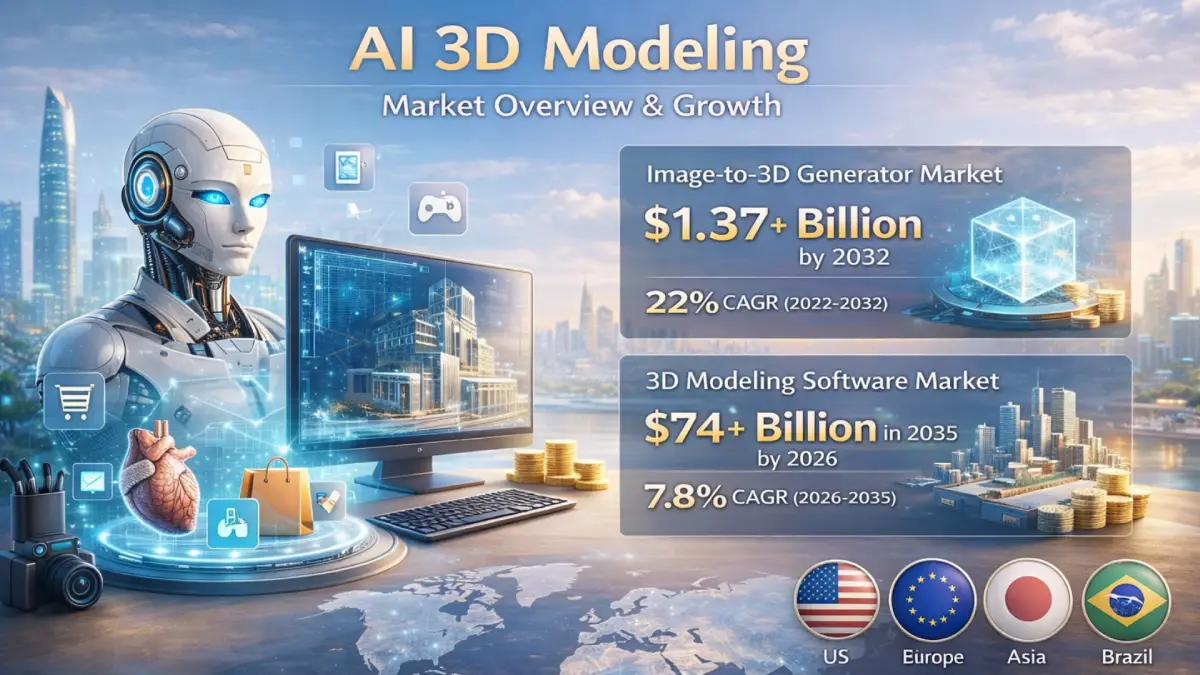
There has been growth in the market for 3D modeling software as well. This encompasses both conventional and AI-driven tools. It will be worth more than $74+ billion by 2035, up from $39.9 billion in 2026, with a CAGR of 7.8%, which is quite interesting. This expansion demonstrates the widespread utilization of 3D content currently. Many fields are starting to rely on it, including design, visualization, simulation, and interactive experiences.
Some regions are currently dominating AI 3D modeling adoption due to strong technological infrastructure and early investment in advanced tools. At the same time, other regions are experiencing rapid growth, driven by expanding e-commerce, gaming, and digital content industries.
Conclusion
In 2026, AI 3D modeling streamlines the creation of digital assets, making the processes faster and less expensive. The technology is seamless across industries like gaming, e-commerce, architecture, etc. Tools such as Meshy AI, Tripo AI, Luma AI, and NVIDIA Omniverse use automation technology to eliminate unnecessary steps, including mesh generation, texturing, UV mapping, and rigging.
Rapid modeling is an area where AI tools excel, and the technology also does well in repetitive tasks. But 3D artists are still needed to refine the models to prototype. AI has clear limitations in the area of modeling. Precise topology and controlled creativity are beyond technology capabilities. But in 2026, the most successful modeling uses a hybrid of AI and a human. Realistic modeling has resulted in an explosion of high-quality 3D visual content.
Frequently Asked Questions
What is AI 3D modeling?
AI 3D modeling is the process of generating 3D assets from text prompts, 2D images, or scans with the help of AI. It helps in automating the labor-intensive tasks like sculpting and texturing. AI transforms the workflows in industries like gaming, architecture, and e-commerce from days to seconds.
What is the best AI 3D model generator in 2026?
Top tools for AI 3D modeling so far are Meshy AI, Tripo AI, Luma AI, Kaedim, NVIDIA Omniverse + GET3D, Autodesk Flow Studio, and Spline AI. It is recommended to choose a preference based on your need for speed, realism, or integration.
Can AI replace 3D artists?
The answer is NO. AI can help in automating the repetitive tasks, but human touch is still needed for the fine details and creative directions.
How does text-to-3D model generation work?
AI analyzes a text prompt or image to generate 3D geometry. It creates the mesh, applies textures, handles UV mapping, and can even prepare rigs for animation.
Is AI 3D modeling free?
Some of the AI tools are free to start for trials. If you want advanced features, high-resolution exports, and professional use, then it usually requires paid subscriptions.
Which AI tool works best with Blender?
Tools like Meshy AI, Tripo AI, and Kaedim integrate well with Blender. It also allows export to FBX, OBJ, and GLB formats for further refinement.
How accurate are AI-generated 3D models?
3D models generated by AI are accurate for simple shapes, textures, and quick visual content. However, they often lack precise topology and fine details, so they need to be refined using traditional methods before professional use.
What file formats do AI 3D tools export?
Most tools support FBX, OBJ, GLB, and sometimes USD or PLY, depending on the software and pipeline requirements.
Can AI 3D models be used for 3D printing?
Yes, AI 3D models can be used for 3D printing, but these models often need manual cleanup to fix topology and ensure structural integrity before printing.
How much does AI 3D modeling software cost?
To be honest, pricing varies. Some tools are free or cheap for beginners, while advanced professional software usually needs a paid subscription or license.