

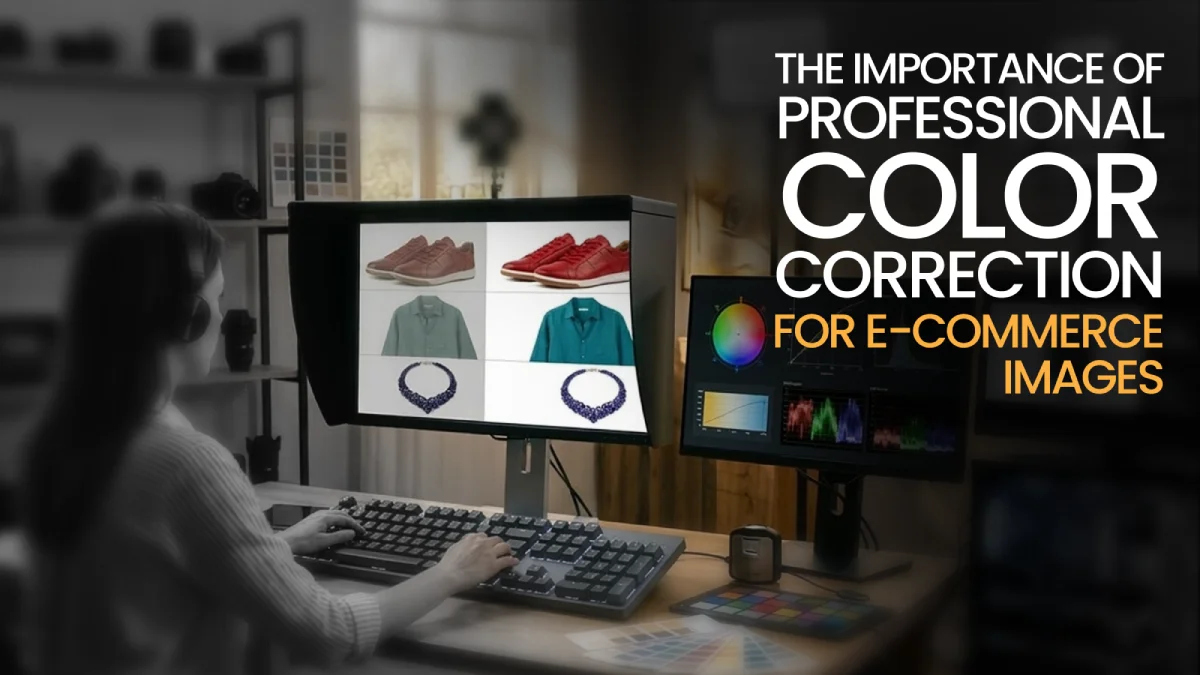
Most of the time, people are convinced to buy a product simply when the images impress them. They browse through the listings and choose to check out the images first before reading the product description. So, a color correction for an e-commerce business is very critical for your sales.
Well, in this article, we will explore the importance of color correction for e-commerce images. What it is and why it matters in e-commerce businesses, and its impact on sales, will also be discussed. We will also go through the common color correction techniques that are used by the professionals and how you can choose a professional color correction service for your e-commerce business.
Let's dig in.
What is Color Correction in E-commerce?
The post-processing method that is used to adjust the product photos to make sure the colors are accurate is called color correction. In e-commerce, it is usually used for fixing the white balance and exposure. In an e-commerce business, people use it to boost their sales and increase revenue.
In simple terms, the main goal is to ensure the colors match the real product as closely as possible.
Why Professional Color Correction Matters for E-commerce Images
In e-commerce, professional color correction is crucial. If you can use it accurately, then there's a very high possibility of reducing the return rates and increasing the product sales.
It directly impacts:
Increases Customer Trust
If a product image accurately matches the actual product, it creates customer trust between browsers. The choice of the right colors and realistic tones helps a lot in this case.
If a product looks different from the original product, it ends up killing the trust of the customers. On the other hand, if it matches the preview, then complaints drop, and people come back.
Improves Sales
Good color correction does more than make things look visually appealing. A good product image gives customers a clearer sense of what to expect before they buy a product.
Most of the time, a product that looks accurate gets more clicks and stands out among competitors. Sometimes it even outperforms well-known platforms like Amazon, Etsy, etc.
Creates Brand Consistency
When a photo is shot under different lighting and edited differently, it just looks messy. Consistent color across every product image, every variant, every SKU, makes a store feel put together and trustworthy.
That kind of visual cohesion quietly does a lot of work for how a brand is perceived.
Reduces Product Returns
Color mismatch is one of the most common reasons people send things back. When the item doesn't match what the photo showed, customers feel misled automatically, even if it wasn't intentional.
Accurate color correction closes that gap, sets the right expectations upfront, and meaningfully cuts down on photo returns.
Maintains Marketplace Standards
Amazon, Shopify, and Etsy all have image requirements, and kind of encourage customers to buy a product. In these cases, everything matters, like pure white backgrounds, accurate colors, correct dimensions, and resolution.
Images that don't meet those standards ended up getting less attention and fewer sales. Proper color correction keeps listings:
- Compliant
- Visible, and
- Competitive across every platform they appear on.
Impact of Color Accuracy on Customer Trust and Sales
Most people don't notice how color accuracy influences customers. The picture of the listing, most of the time, affects how someone feels about it before they read the description.
People who shop online quickly choose what they want from a lot of possibilities. The picture has a huge effect on whether or not a product feels reliable. If the colors are genuine and close to the actual product, it gives a serene feeling that the product will look like what you see on the screen.
Consistent, natural-looking pictures also help customers recall a brand over time. Seeing pictures of a product that looks honest and trustworthy over and over again slowly makes people feel more comfortable with it. Just for the color-mismatch reason, around 30% of customers return their ordered products.
Trust takes time to build, but once you have it, it makes people more likely to buy from you again and makes it tougher for competitors to steal those clients.
Common Color Correction Techniques Used by Professionals
When you hire a professional, they ensure that the pictures shown match the product accurately. They use different kinds of tools to fix the color on the images.
Some of the most popular ways they correct colors are:
White Balance Adjustments
Adjusting the white balance is an important part of skilled color correction. It gets rid of the colors that aren't needed while leaving behind the colors that are wanted because of the lights.
The light when the picture was taken usually changes how the colors look on the camera. That is fixed by adjusting the white balance, which makes neutral colors like white and gray look neutral. This keeps the original color of the product. And the picture that comes out is more like what the object really looks like than what the lighting did to it.
Improving the Contrast and Exposure
Usually, exposure and contrast are used to make sure that a product picture has the right light and clarity. When fixing the colors, exposure is very important because a low exposure makes the picture dark and hard to see. If the brightness is too high, the colors will look washed out.
The difference between light and dark areas is made sharper by contrast work. This makes the product look defined and clear instead of flat. Images that are easier for customers to judge are those that use brightness and contrast correctly.
Right Use of Saturation and Vibrance
Professionals change how bright and rich the colors are in a picture by changing its saturation and vibrancy. It's generally used by professionals to make the colors of their products look more lively and interesting. If you don't want to make colors look unrealistic, you should use the intensity just a little.
Vibrance, on the other hand, changes the brightness of dull or faded colors so that bright colors stay the same.
Selective Color Correction
You can change the colors in a picture without changing the whole thing with selective color correction. It's used when a part of the picture doesn't look right, but the rest does.
With selective correction, editors can fix just that tone in a product photo without changing anything else. It works especially well for things that have a lot of different colors or patterns, and each part needs to look right on its own.
Changes to the Shadows and Highlights
Using shadow and highlight correction, professionals make the dark and light parts of a picture look more even. Details in a product can be lost in heavy shadows, and color can be completely washed out by strong highlights.
By pulling back the highlights and lifting the shadows, they can see what was hidden and make the light look more natural across the whole picture. There is a big difference in how much detail shows up in the finished picture.
Matching the Shot and Color
The tones and colors can look off when pictures in a magazine were taken at different times, with different lighting, or even on different days. Shot and color matching make sure that everything is lined up so that every picture has the same style, brightness, and color tone.
When you hire professionals like The KOW Company to do the work for you, you get a team of professional editors who can do multiple versions, compare them, and make the necessary changes. This is what makes a catalogue of goods look like a professional, well-organized set rather than a bunch of random stuff.
How to Choose a Professional Color Correction Service
Before choosing a professional color correction service, consider going through the steps below.
Here are some must-check requirements that you should consider:
Step 1: Check their experience and knowledge of e-commerce
Not all photo editing experiences are the same. Someone who mostly handles portrait or event photography thinks about color very differently from someone who spends their days correcting product images for online stores.
The very first step, should be before choosing a color correction service, is to check the industry expertise of the providers. Try to find a team that has expertise with product images that are like yours. Reaching out to a professional like The KOW Company can be an ultimate solution. We have 12+ years of expertise, along with specialized teams who are mostly experts in different niches.
It's a good sign if the vendor can offer real e-commerce case studies that show how image quality influences sales and returns.
Step 2: Look at the portfolio and some sample work
Before-and-after examples cut through the marketing speak faster than anything else. You can see exactly how they handled a difficult lighting situation, whether the final colors look real or like someone cranked the saturation slider too far.
Seeing how they handle your actual products is the most reliable way to know whether their work fits your standards before you commit to anything long-term. Take a close look at their portfolio before you hire them. They show how they deal with hard lighting, color balance, and product details by showing before-and-after pictures.
Check to see if the finished photographs look real or too altered. It's a good idea to try out a trial batch or sample edit if the company offers one. The best method to evaluate if their work matches your expectations is to see how they manage the pictures of your real products.
Step 3: Check their Turnaround Time and Scalability of Work
For e-commerce, timing isn't just a nice-to-have; a delayed catalog launch or a missed seasonal window can actually hurt sales in a real way.
When you're pushing hundreds or thousands of images through an editing pipeline, you need to know exactly when things are coming back. Keep in mind that the answer isn't going to change at the last minute. A provider worth working with will give you a straight, realistic timeline for regular work and won't leave you scrambling when something urgent comes up.
More importantly, they should be able to scale up without the quality slipping. Batch processing, organized file transfer systems, and consistent workflows are signs that they've handled volume before and can handle yours.
Step 4: Compare Pricing and Overall Value
Pricing varies a lot depending on how complex the editing is and how many images you're sending through. Most services work on a tiered pricing structure; simpler corrections cost less, while anything more involved, like color matching or detailed retouching, sits at a higher rate. That much makes sense.
What doesn't make sense is picking whoever threw out the lowest number. Cheap edits that misrepresent your product colors don't stay cheap for long. Customers get something that looks nothing like what they ordered, send it back, leave a complaint, and suddenly that money you saved on editing is gone and then some. Look at the quality, consistency, reliability, and treat price as one part of that rather than the deciding factor.
Step 5: Check Communication and Customer Support
Working with an external editing service only goes smoothly if the communication does too. Find out how they handle feedback, whether they offer revision rounds, and how quickly they respond when something needs to be fixed.
Providers who assign dedicated project managers tend to be easier to work with because there's a clear point of contact rather than messages disappearing into a general inbox. If they're hard to get hold of during the early stages, that's usually a sign of what ongoing collaboration will feel like.
Step 6: Ensure Security and Data Protection
Your product photos aren't just files. They represent real work, real investment, and in many cases, proprietary visuals you don't want floating around carelessly.
Handing them over to an outside service means you're trusting that team to treat them with the same care you would. Ask about how they transfer and store files, what confidentiality looks like on their end, and whether their output formats and color settings actually match what the platforms you sell on require. Don't just assume security is handled; it's a fair question to ask upfront, and any reputable provider will have a straight answer ready.
Future Trends in E-commerce Image Editing
In the upcoming years, the future of AI is going to be dominated by AI-driven automation:
AI-Powered Automation
AI is already taking over the repetitive side of image editing in a way that's genuinely changing. Things that used to take an editor hours, like background removal, color correction, noise reduction, and upscaling, are now running automatically across thousands of images before anyone's had their morning coffee.
Generative AI is taking things a step further, swapping out colorways, changing background settings, and creating entirely new variations of a product without anyone touching a camera or booking a studio.
AR, Virtual Try-On, and 360° Product Views
Interactive visualizations help customers feel assured before making a purchase. 360° views let customers spin a product around and look at it from every angle.
The augmented reality takes it further and lets people drop an item to try it on through a digital avatar before committing to a purchase. Together, these tools close the gap between browsing online and make a real difference in buying confidence.
Hyper-Realistic Image Editing
The heavily stylized, over-edited product photo is losing ground. What shoppers respond to now is images that look genuinely true to life: natural shadows, real textures, accurate reflections, honest depth.
AI enhancement tools are helping brands hit that standard even when the source images aren't perfect. It takes lower-resolution photos and pulls them up to a quality that used to mean investing in expensive gear and a fully controlled studio setup.
Mobile and Social Commerce Optimization
Most shopping happens on a phone now, and image editing workflows are catching up to that reality. Vertical formats, faster load times, and platform-specific dimensions aren't afterthoughts anymore; they're part of the process from the start.
On social media, especially, where someone scrolls past your product in under a second, strong color and clear composition aren't optional extras.
Hybrid Human-AI Editing Workflows
The sweet spot isn't handing everything over to automation or stubbornly keeping it all manual; it's both working together in a way that plays to their strengths. AI tears through the volume and handles the repetitive stuff without breaking a sweat.
On the other hand, human editors come in where it actually matters. Remember the brand looks consistent, catch the details that algorithms miss, and make the kind of judgment calls that no tool has quite figured out how to replicate yet. That combination of human and AI allows businesses to grow their image output without sacrificing quality.
Personalized Visual Content
This one is still emerging, but it's worth paying attention to. Advanced systems are starting to adapt product visuals based on who's looking at them, their location, browsing history, or general preferences.
The same product could appear in completely different lifestyle settings depending on the viewer. It sounds subtle, but showing someone an image that actually feels relevant to their life is a much more powerful way to sell than a generic studio shot shown to everyone the same way.
Final thoughts
To sum up, though color corrections are treated as the finishing touch, they're doing a lot more than that. The decision of a customer buying a product depends a lot on the way a product looks in an image. In an e-commerce business, trust is what turns browsers into buyers.
When every image follows the same color standards and editing approach, the whole store just feels more put together. It's one of the things that customers notice without knowing they're noticing it. And when what they see online actually matches what arrives at their door, return rates drop.
E-commerce isn't getting less competitive, and product visuals are only going to matter more as the market keeps growing. Businesses that take color correction seriously aren't just making their images look nicer.
Nowadays, they're making smarter decisions about how their products are perceived, how well they meet platform requirements, and how effectively they stand out in a space where everyone is fighting for the same attention. Good editing isn't an aesthetic choice; it's more like a business one.
If you're looking to improve your product visuals and reduce returns, we'd love to help. Reach out to The KOW Company and let's talk about how our color correction services can make your products look their best and build more customer trust.
Frequently Asked Questions
What is color correction in e-commerce photography?
In simple terms, Color correction is changing the colors of product photos so that they look right, natural, and like the actual product.
How does professional color correction improve sales?
When images look true to life, shoppers feel more confident about what they're buying. Professionals use that through their edits to convince more purchases and fewer second guesses at checkout.
What is the difference between color correction and color grading?
Color correction fixes color accuracy and lighting issues; on the other hand, color grading adds a creative style or mood to an image.
What tools are used for color correction in product photos?
Editors typically use professional photo editing tools such as adjustment layers, curves, levels, and color balance controls.
How long does professional color correction take?
Simple edits may take a few minutes per image, while bulk orders are usually delivered within 24-72 hours.
How much does color correction cost?
Basic color correction usually costs around $0.50 to $2 per image, depending on complexity and volume.
Can I do color correction myself, or should I hire a professional?
You can make basic changes by yourself, but when you have a lot of products to look at, it gets tougher to maintain all the pictures the same.